Artillery Test
Details
Role: Gameplay Programmer
Duration: 4 Weeks
Team Size: 1
Engine: Unity [C#]
About
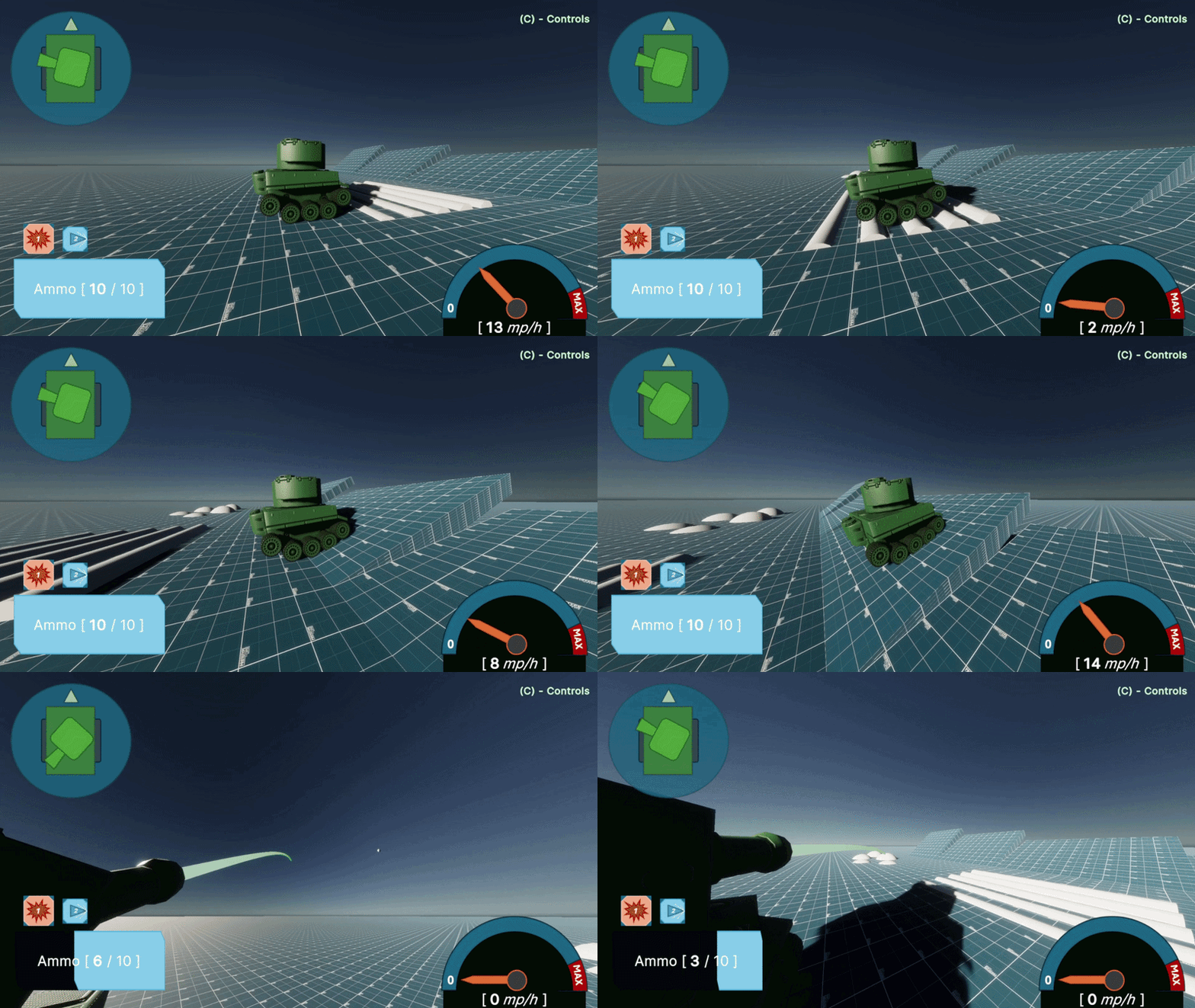
Artillery Test is a study on how a Tank's physics and mechanics can be replicated within C#, within the Unity Engine. The controller features the use of a suspension model, based off Christine Suspension, alongside the use of wheel traction to calculate tank speed.
Introduction
This project was a chance to look into more Advanced Elements of games development, especially within the Unity Engine. While other projects featured within this portfolio feature physics, developing Tank Physics meant that the controller had to feel realisitc and robust in nature. Using idea's such as Hooke's Law to drive forward design and development.
Another advanced element of Unity Development I looked into with this project was the UI Toolkit. Using this I was able to create bindable adaptive UI that changed when flagged by the binded script, keeping the UI and script behaviour seperate while avoiding a need for constant Update checks. Finally, the project features the use of Physics Scenes to simulate the tanks shooting trajectory before it fires.
Suspension
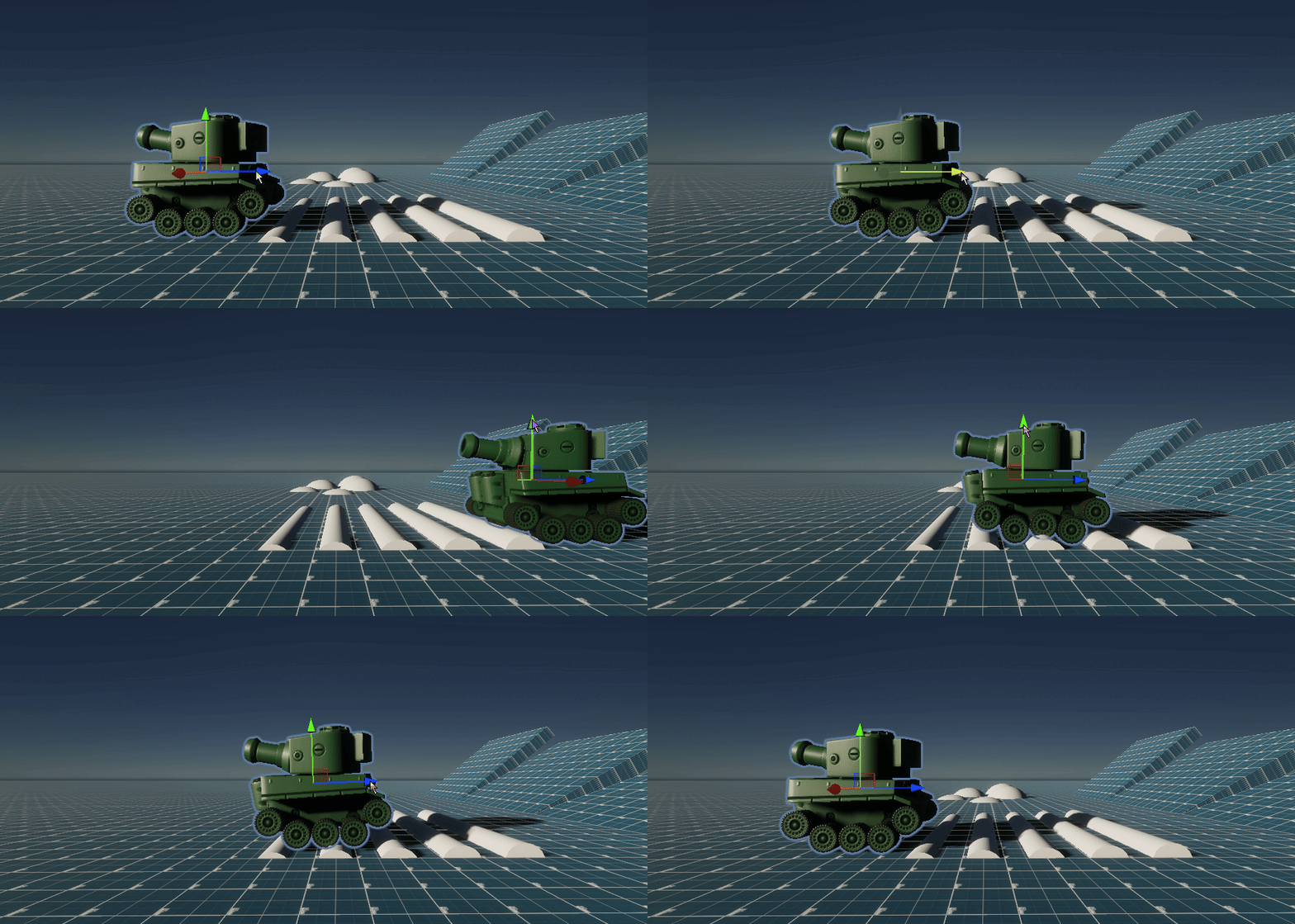
To form the base of the tanks suspension a Spring model needed to be created, which would move the suspension wheels based on any applied displacement force. A raycast points down from the arm of the suspension wheel towards the wheel itself, checking if the springs full length can be achieved. If not due to the raycast hitting an object, a displacement force is applied to the given wheel. Meaing the wheel & spring takes on the displacement, instead of the whole tank to create realistic smoother driving.
The overall model used for the Tank's Suspension is a Mass-spring-damper model, this is where the wheels displacement force is calculated by doing:
Displacement Force = -(Stiffness Factor * displacement) - (Damping Factor * Spring Velocity)
To create this dampener the idea of Damped Oscillation. Using a dampener meant that the Tank's springs would lose energy overtime, to not rock the tank constantly and instead adjust occurdingly to the current forces being applied.
Code
- Suspension
UI Implementation
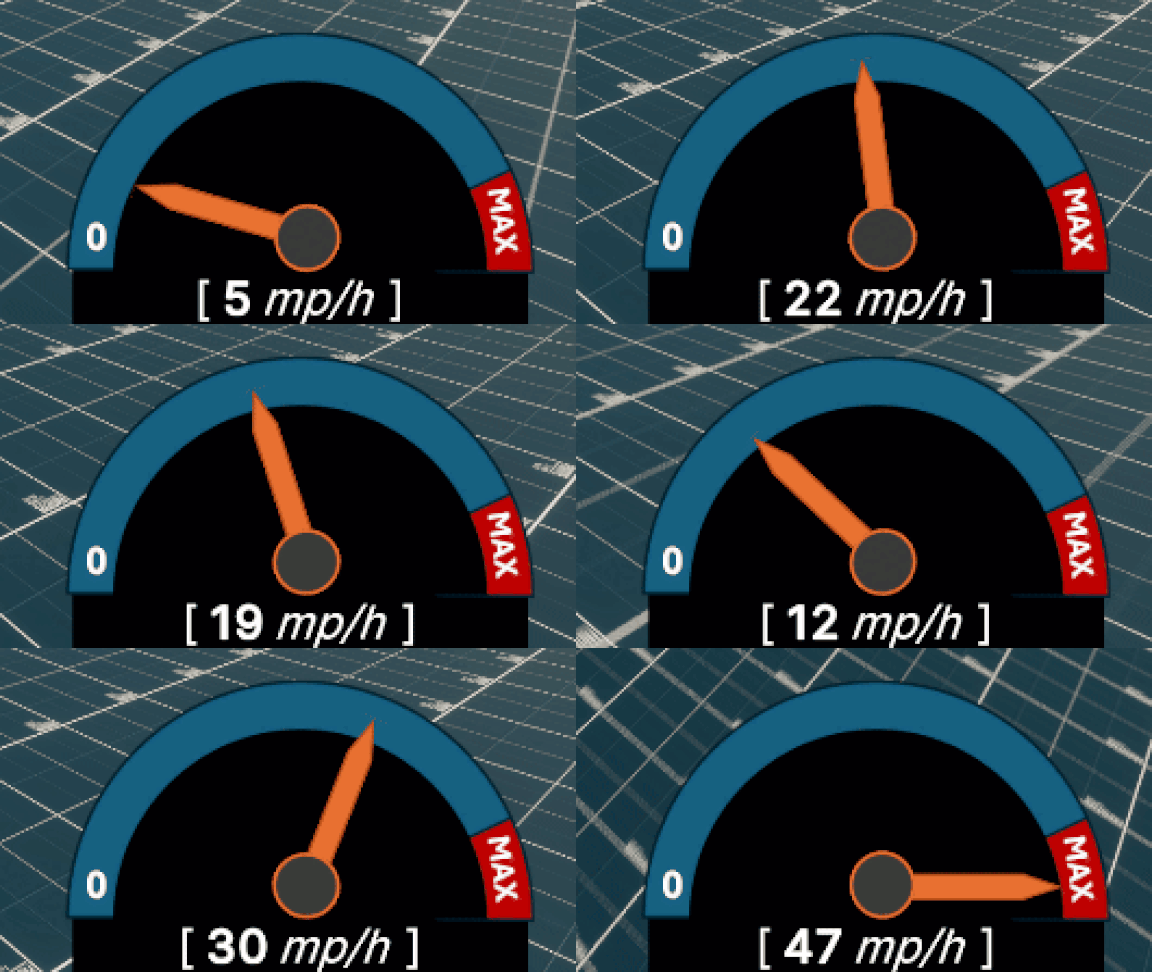
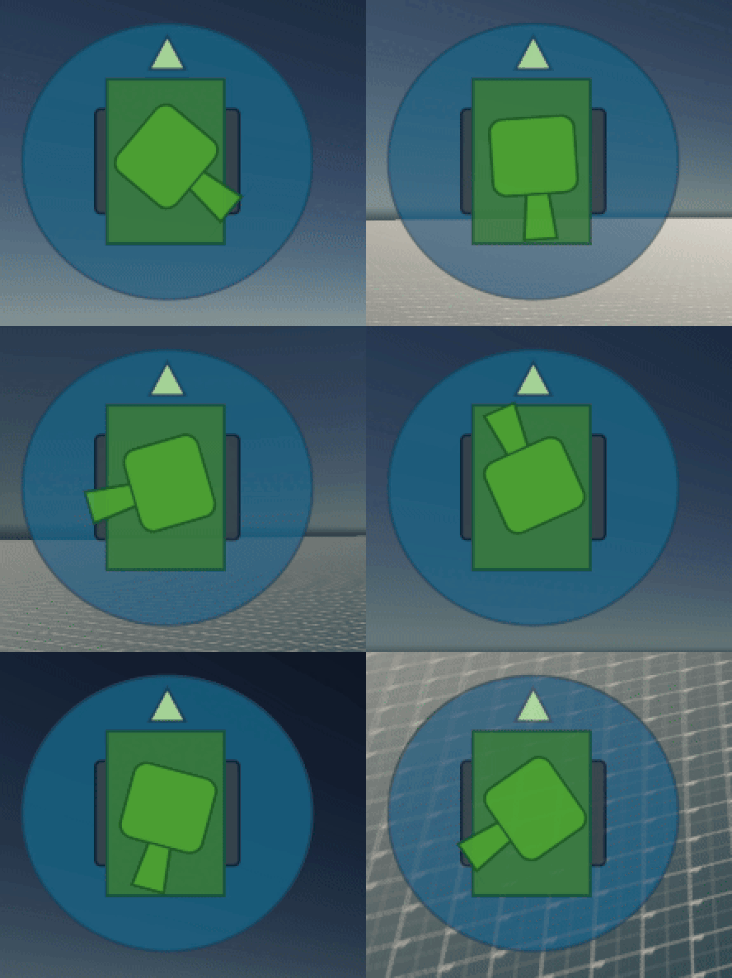
In previous project's I have used Unity's Canvas system to create UI. This an older system within unity and isn't suited for complex UI, instead for the project I experimented with the Unity UI Toolkit. I found the UI toolkit to suit my needs and skills very well, as it is built off of ideas such as HTML and CSS which I have worked with before (even for this website). The main feature that drew me to the UI Toolkit was Data Bindings, allowing for a model of communication between the UI and script data that keeps them separate.
Data Bindings use 3 core concepts; Data Source, Data Source Path, & Binding Mode. For this project the UI's Binding Mode is ToTarget, meaning that the data is Read-Only for the UI keeping data communications to only what is necessary to its functionality. The above two showcases of the Tank's UI use seperate Data Source's one coming from the Tank's Drive Wheel and the other the Tank's Turret. As the data is binded the UI will update any time the specified value has been flagged as changed, with no need to constantly check through code.
Code
- UI Controller
Shooting
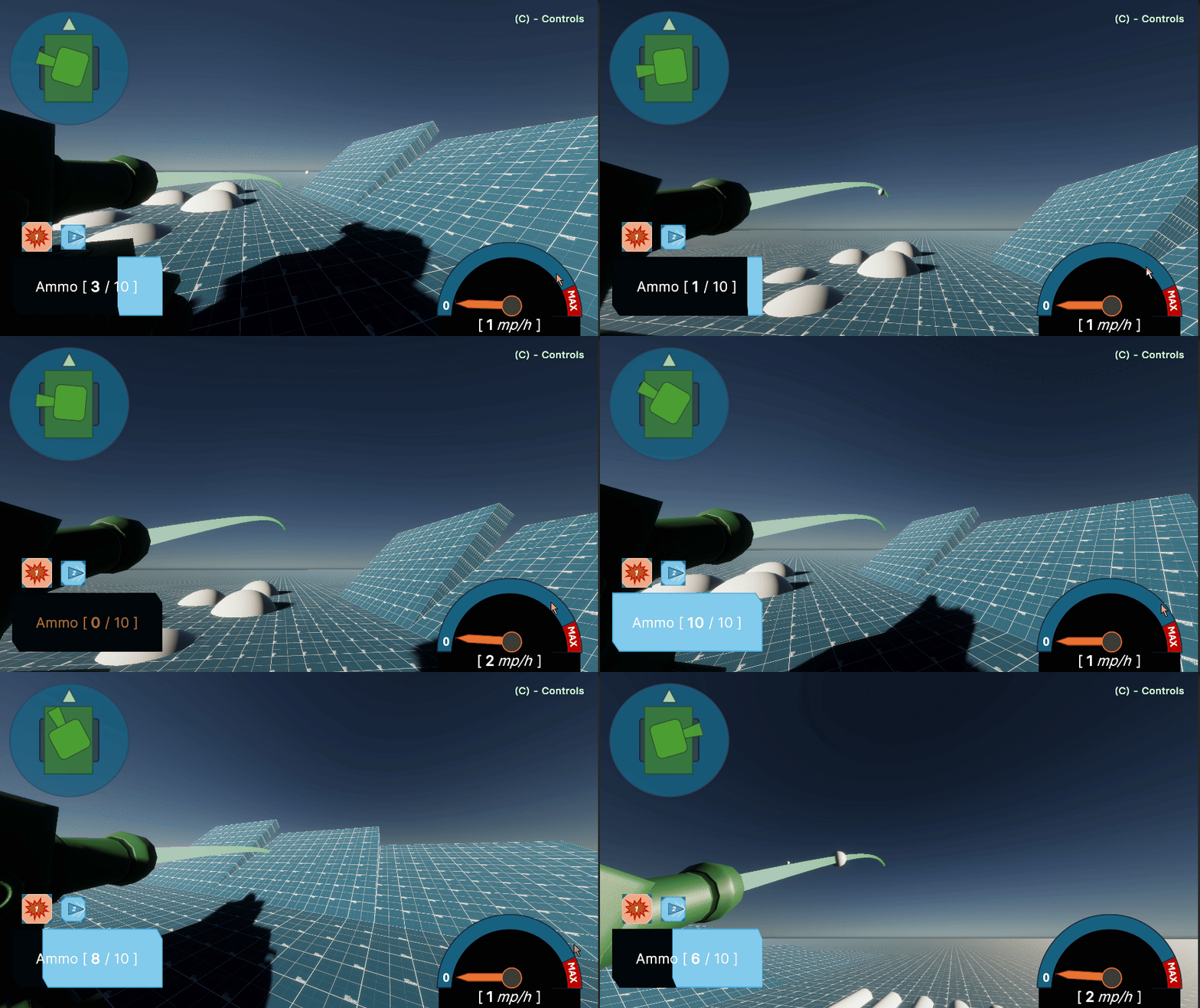
The Tank's Firing functionality is a simple rigid body force application. Though I wanted to build on this to create a more immersive firing experience, to achieve this I added a second camera mode which is 'over the shoulder'. This is the state being showcased in the above video. When in this state the tank's barrel displays a Fire Predication line, which is adaptive to different tank firing speeds and bullet weight.
To achieve this I used Unity physics scenes, creating a ghost scene to simulate how the current firing angle will fire a projectile. The physics scene is a sub-scene with non-visible level elements to be used within in calculations, this includes ghost projectiles which are fired only in this state, to better conserve processing power. Each Ghost Projectile has a trail attached which acts as the Fire Prediction Line.
Code
- Fire Prediction
Code
- Weapon Controller
What was Learnt
This project offered me the opportunity to take a deeper dive into Unity, exploring new techniques and tools alongside working on critical programming skills. The project ran very smoothly, taking what I learnt from previous projects with time management to heart. This offered me time to really experiment and understand what I was trying out for the first time. This is especially true for the UI within the UI toolkit which I found to be a very wide topic.
Furthermore, this project allowed for me to put what I have learnt so far to the test. Talking with peers and lecturers I often found myself being pushed and growing from the work around me. while concepts such as Suspension and Physics simulations were relatively new to me, getting to work alongside others and keeping a span of communication and questions meant that a rewarding sense of growth was ever present throughout the project, as I was pushed further and further alongside those around me.
Project Repository